Parent accounts and sub-accounts
What the Sub-accounts tab shows, why linking one is an Incenti operation, what a parent account can and cannot reach in a child account, and how the Account scope dashboard filter uses the relationship.
Before you start
- A sub-account is a separate Incenti account that Incenti has linked underneath yours — a regional office, an affiliate, a partner organization you report on.
- Most accounts have none. If your account page has no Sub-accounts tab, nothing is linked underneath it and this page does not apply to you.
- Linking and unlinking are done by Incenti. Nothing on this page is something an account admin can set up.
What the Sub-accounts tab shows
Open your account page (your name at the bottom of the sidebar, then Account) and select Sub-accounts. The card lists each linked account with its Name, Type, Status, and the dates it was updated and created, with a filter box above the table.
If your own account is a sub-account, you will instead see a Sub-account of badge and a read-only Parent Account field on the account profile card on the left.
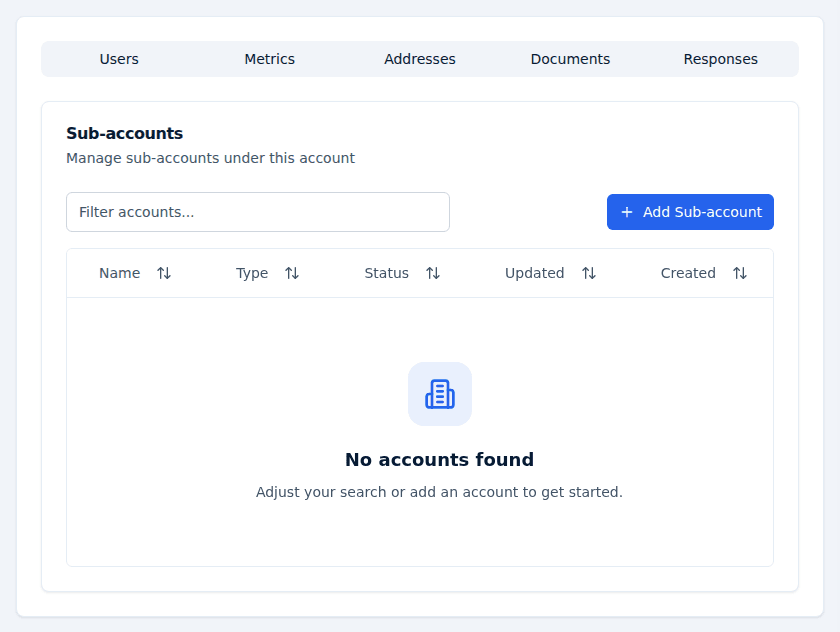
What you can and cannot do from it
The tab is a reference list, not a way into the other organization:
- You cannot open a sub-account's page. Selecting a row does not take you into that account; each login belongs to exactly one account, so a parent account's users cannot browse a child's forms, responses, contacts, or users.
- You cannot add or remove a link yourself. The tab shows Add Sub-account and a remove action, but both are Incenti-only operations — using them as a customer admin fails with "Failed to add sub-account" or "Failed to remove sub-account". Email support@incenti.co with the organization you want linked or unlinked.
Linking two accounts does not merge them. Each keeps its own forms, responses, contacts, pipelines, documents, and users.
Nothing is inherited
The parent/child link is a grouping, not an entitlement. Nothing flows downhill:
- Products are granted per account. A sub-account does not gain EDOS or Insights because its parent has them; Incenti grants each account its own.
- Seat limits are per account and per product. Your seats are not shared with, or consumed by, a sub-account's users. See Seat limits and what happens at the cap.
- Users and roles are per account. An admin on the parent account is not an admin — or a user at all — on a sub-account. Someone who needs to work in both needs a user on each, with a different email address for each.
- Modules and beta features that Incenti enables for one account do not turn on for the other.
Account scope on a dashboard
The one place the relationship does something is the dashboard filter bar. A parent account can add an Account scope filter to a dashboard, which decides whether its charts count only this account's records or also the records of accounts linked below it. A dashboard carries at most one Account scope filter.
This is a reporting view, not access: it changes the totals a chart shows, it does not let anyone open the underlying records of another account. See Filters and drill-down.
Common questions
Q: Can I add a sub-account myself? A: No. The Add Sub-account button exists on the tab, but only Incenti can complete the link — a customer admin gets a "Failed to add sub-account" message. Email support@incenti.co.
Q: Can I sign in to our sub-account from my login? A: No. Each login belongs to exactly one account, and there is no account switcher for customers. An admin on that account has to add you as a separate user with a different email address.
Q: Does our sub-account get Insights because we have it? A: No. Products are granted per account, so a sub-account needs its own grant. Ask Incenti support to add it.
Q: Do sub-accounts share our seat limit? A: No. Seat limits are per account and per product, so a sub-account's users never use up your seats.
Q: Can I build one dashboard covering us and our sub-accounts? A: Yes, if your account is the parent: add an Account scope filter to the dashboard and include the accounts you want counted. It affects the numbers on the charts only.
Related
Last updated on