Welcome to Incenti
An overview of the modules available in Incenti, what each one is for, and where to go next depending on what you are trying to do.
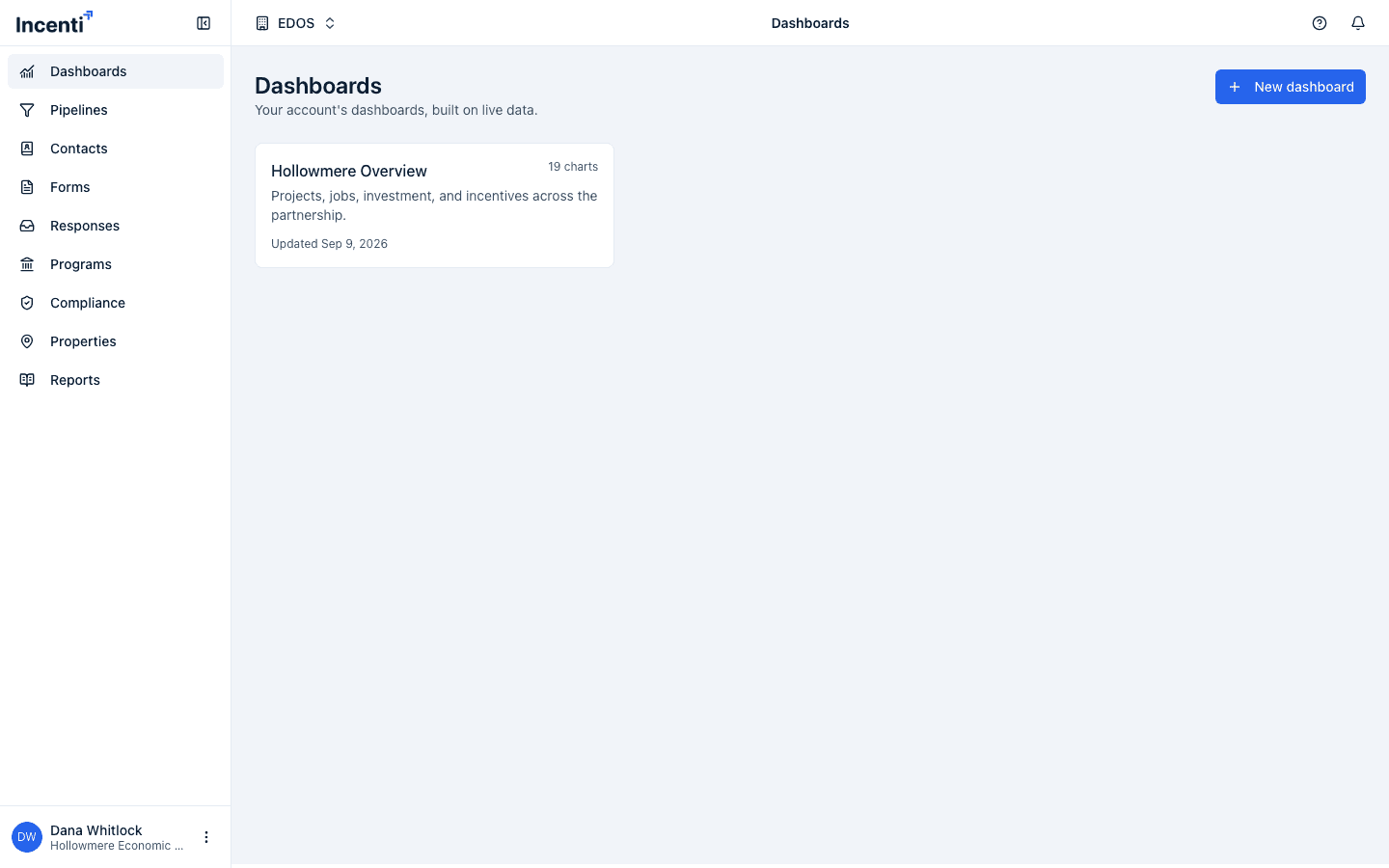
Before you start
- You need an Incenti account and to be signed in. See Sign in to Incenti.
- What you see in the sidebar depends on which products your account has and, for some modules, your account type (economic development organization or site selector).
What each module does
Dashboards
See the dashboards set up for your account. If your account has more than one, the first opens automatically and you can switch between them.
Pipelines
Track opportunities through customizable pipeline stages on a board or table view.
Contacts
Keep a directory of the people and organizations you work with.
Forms
Create and publish forms — from a blank form, a template, or an uploaded document — and share them for people to fill out.
Responses
Review responses people have submitted to your forms, and start responses directly from an uploaded document.
Programs
Manage your incentive programs. Only shown on economic development organization accounts.
Reports
Generate loan amortization, fiscal impact, and economic impact reports and export them as PDFs.
Insights
Explore, compare, and ask questions about economic, demographic, and incentive-award data for states, metros, counties, and cities. Insights appears as its own workspace with its own sub-navigation (Ask, Explore, Analyze, Incentives, Reports) once you switch into it.
Why don't I see a module my colleague has?
Module visibility is controlled two ways:
- What your account has purchased. Each user is granted access to specific products when they're added (or afterward, from their user page), and a module only appears if a product you have access to includes it.
- Your account type. Some modules, such as Programs, are limited to Economic Development Organizations or to Site Selectors.
If you expect to see a module and don't, ask your account admin to check your product access, or contact Incenti support.
Common questions
Q: Where do I start if I'm new to Incenti? A: Start with Forms if you need to collect information, or Insights if you're researching a location or incentive data. Both are top-level items in the sidebar.
Q: Why do I see different modules than another user on my account? A: Module access is granted per user, not automatically to everyone on the account. See "Why don't I see a module my colleague has?" above.
Q: How do I switch between the main portal and Insights? A: Use the workspace switcher in the header; Insights has its own sub-navigation (Ask, Explore, Analyze, Incentives, Reports) that replaces the main sidebar while you're in it.
Related
Last updated on